




- Joined
- Oct 12, 2023
- Posts
- 255
- Reaction score
- 69
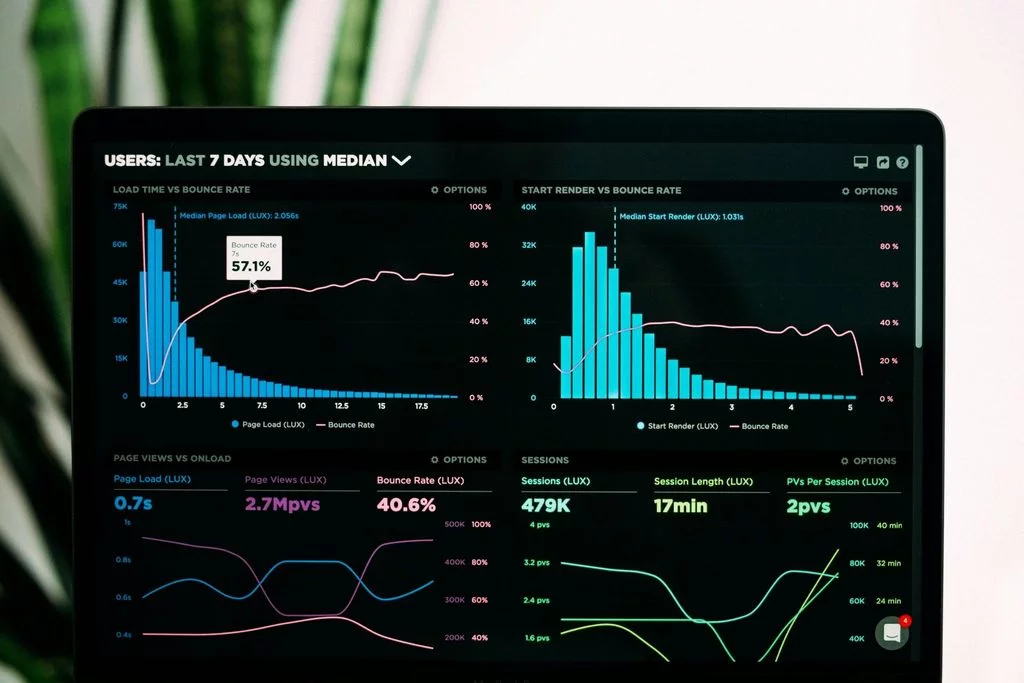
Even if a website works as usual, that doesn’t always mean everything is fine. Accessibility, indexing, SSL (Secure Sockets Layer), DNS (Domain Name System) records’, or speed issues can go unnoticed until they begin to impact users and business. Ongoing website monitoring helps detect these changes early.
Website monitoring is a systematic check of a site’s availability, technical condition, and performance. Its purpose is to promptly detect any changes that could impact users, search traffic, or the functioning of the business, and take appropriate action.
Monitoring shouldn’t be confused with a full-fledged technical website audit. An audit is a periodic, in-depth review of a website that helps comprehensively assess its code, architecture, security, SEO, design relevance, and other parameters. Monitoring, on the other hand, is performed in between these audits, allowing to spot changes or issues as they arise.
A website’s performance is affected by many factors: the hosting or server, the code, database, DNS settings, or the SSL configuration. An update can increase page load times, while a technical error may prevent search engines from indexing important content. Even the domain requires attention; if the registration isn’t renewed on time, the site and associated services may become unavailable.
For large companies, the cost of such outages can be especially high. A study by Oxford Economics and Splunk, conducted among 2,000 executives from 53 countries and 10 industries, estimated the combined losses of Global 2000 companies from unplanned digital outages at $400 billion annually, or an average of about $200 million per company. The calculations included not only direct financial losses but also damage to reputation and business value.
Of course, these figures can’t be directly applied to a small corporate website or online store. However, the study clearly demonstrates the scale of the problem; a technical failure isn’t just a concern for developers — it’s a potential business risk.
Even a little downtime can have tangible consequences:
Monitoring is not only useful for identifying existing problems. Dynamically collected data allows you to analyze site performance, identify patterns, and make more informed decisions about future development. For example, if a site regularly slows down during certain hours, this may indicate the need to optimize or boost server resources.
The frequency of monitoring should depend on how critical the website is to your business. For a standard business website, you can set up automatic checks every five minutes. E-commerce websites and other revenue-critical services may benefit from more frequent automated checks. You don’t need to monitor the website manually, monitoring tools can perform these checks automatically and notify you when a problem is detected.
Basic monitoring doesn’t require hiring developers or purchasing expensive systems. Many checks, for instance, monitor site availability, and check the SSL certificate, DNS settings, page loading speed, and page indexing, can be configured independently using free tools.
Source: Unsplash
1. Website Availability. Track whether the website is opening and whether the server and individual pages are responding correctly. It’s crucial to check both the homepage and other key sections, such as product pages, registration forms, or contact forms. If a resource goes down or the server starts returning errors, the sooner you detect it, the faster you can fix the problem and reduce downtime.
2. Indexing. Monitoring helps ensure that search engines see your website pages and add them to the index. A page may open normally for users, but be inaccessible to search engines or excluded from the index. It’s especially important to monitor indexing after a redesign, changes in the URL structure, robots.txt configuration, website migration, or other maintenance.
3. SSL Certificate. Regularly check that HTTPS (HyperText Transfer Protocol Secure) is working correctly and that the SSL certificate is valid. If the certificate has expired or is configured incorrectly, the browser may display a warning about an insecure connection to the user.
4. DNS Records. Monitoring DNS records helps ensure that the domain points to your website and that the records direct to the correct servers. A configuration error can make the website or corporate email unavailable, even if the server itself remains operational. It’s crucial to monitor DNS records carefully after migrating a website, changing hosting, or registering a domain with a new provider.
5. Speed and Performance. Monitoring allows you to track page loading speed, server response time, and performance changes after updates. Slowdowns can be caused by large images or videos, third-party scripts, code changes, or increased server load. A slow website degrades the user experience, can reduce conversions, and negatively impact the metrics Google uses to evaluate user experience.
6. Page Changes. Monitoring changes helps you quickly spot accidental or unauthorized alterations to prices, images, or other important page elements. This is especially useful for websites that are updated regularly. For instance, the system can alert you if an important promotion has disappeared from the homepage, the price has been changed, or the text has been modified without the owner’s knowledge.
7. Domain Expiration Date. It’s essential to know the domain registration expiration date in advance. This is easy to overlook, especially if the domain was registered several years ago. If you don’t renew it on time, the domain may cease to function, along with your website, corporate email, and other services associated with the domain name. Therefore, make sure your registrar contact information is up-to-date and stay tuned for notifications. You can also enable the domain auto-renewal feature in your personal account on your registrar’s website.
Basic monitoring doesn’t require specialized knowledge or a complex infrastructure; many checks can be set up independently and for free.
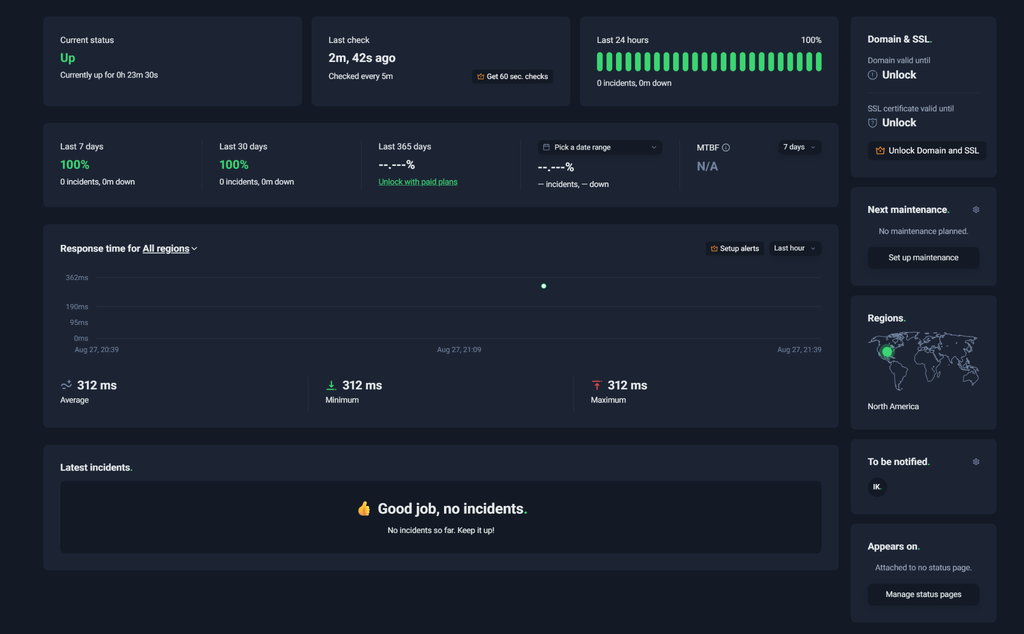
What it monitors: website availability, HTTPS errors, response time, and individual pages.
This is one of the easiest ways to start monitoring website availability. The service regularly sends a request to a specified URL (Uniform Resource Locator) and notifies you if the site stops responding.
The free plan allows you to create up to 50 monitors, and checks are performed every five minutes. In addition to HTTPS, ping, and port monitoring, the plan includes a keyword monitor, which allows you to monitor the presence of specific text on a page. This is useful if you need to make sure the disappearance of key information or changes to content are noticed quickly.
The tool also allows you to create a basic status page, where you can show users the current state of your website or service.
For a small website, this suite of features is usually sufficient; you can set up separate checks for the homepage and other critical URLs.
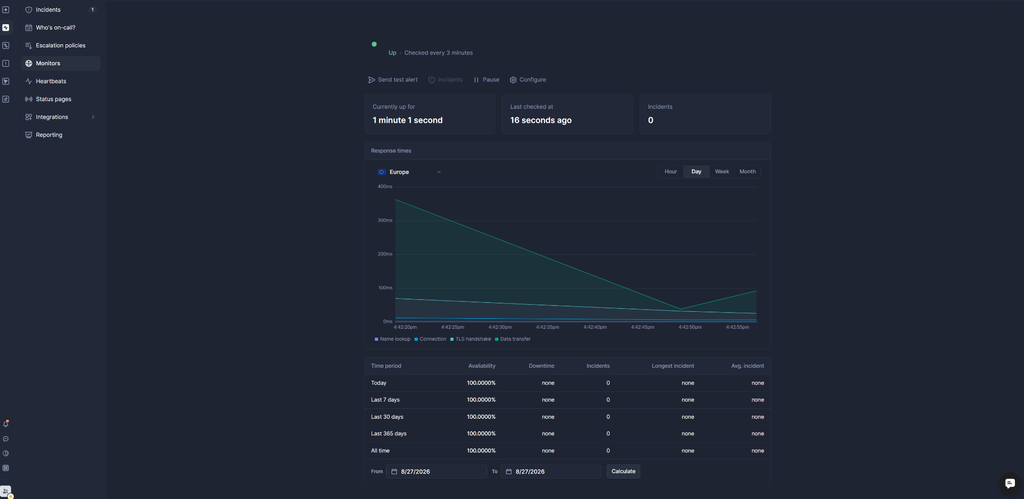
What it monitors: HTTPS statuses, incidents, background processes, and service status.
This is a service for keeping track of and managing incidents. As well as detecting problems, it also organizes responses, such as sending notifications to those responsible, tracking the status of the incident, and reporting the restoration of service.
The free plan includes ten monitors and heartbeats, as well as one status page. Notifications about problems can be received via email or Slack. This allows you to quickly notify the team about an outage, even if no one is manually checking the site at the time.
You can configure HTTPS monitoring for a specific URL and monitor the availability of important pages. Heartbeat monitors are suitable for keeping a check on background tasks and other processes that need to run regularly. If these automatic tasks stop running, Better Stack can notify you.
The status page, in turn, allows you to show users whether the site or individual services are functioning normally and inform them about any incidents and the restoration of service after outages.
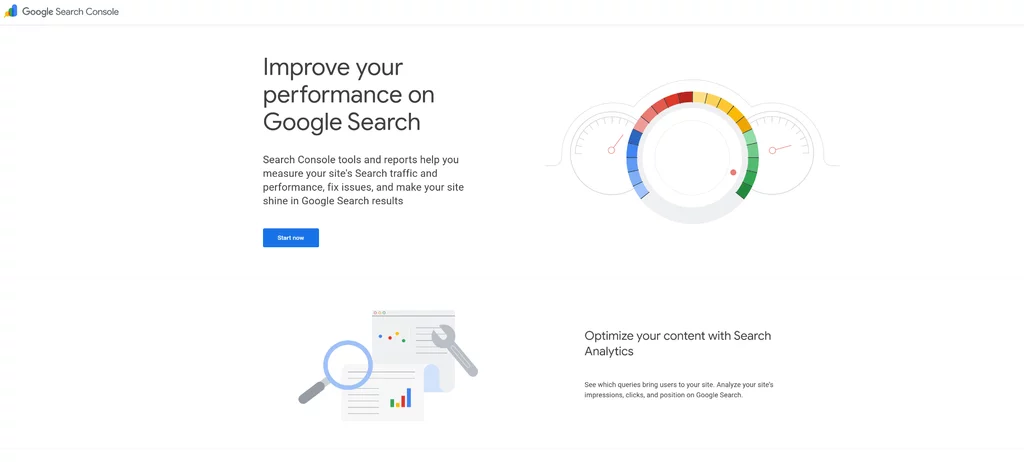
What it monitors: page indexation, crawl issues, sitemaps, impressions, and clicks from Google.
This tool helps monitor how your website is presented in Google: which pages Google has discovered and indexed, and which have encountered crawling or indexing issues. The URL Inspection tool displays information about a specific URL, including its indexation status and the latest crawl data.
Use this tool after a redesign, site migration, change to the URL structure, or robots.txt settings changes. A website may appear fine to users, but some of its pages may no longer be indexed.
The Search Console also helps monitor search traffic. A sudden change in impressions or clicks may prompt you to check for technical issues.
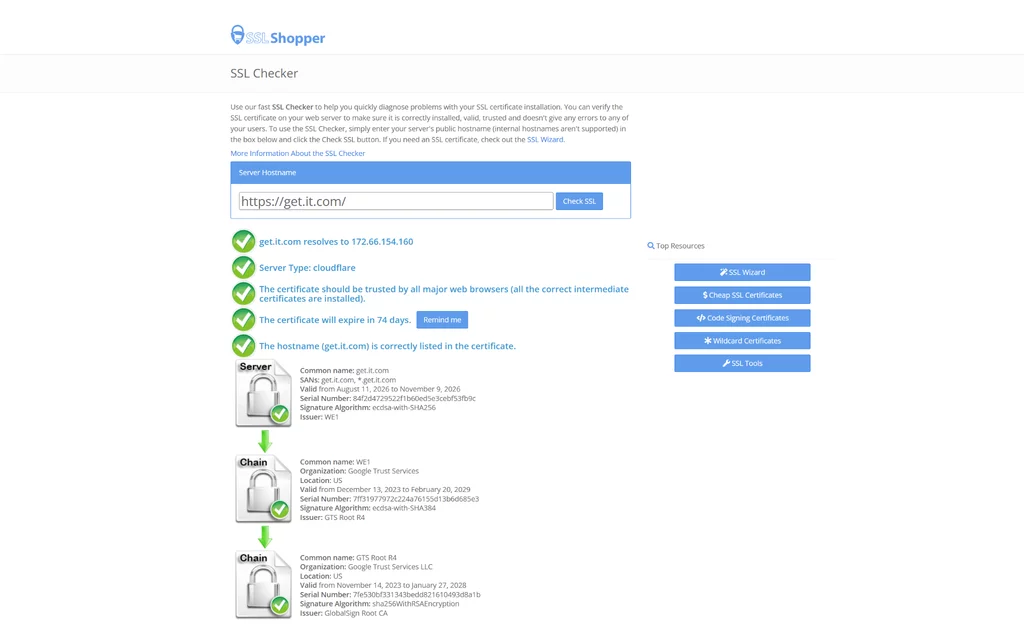
What it monitors: certificate expiration dates, hostname, certificate chain, and HTTPS errors.
This is a simple tool for checking your SSL certificate. Enter your domain, and the service will show you whether the certificate has been installed correctly, its validity, expiry date, and whether the certificate matches the hostname. You can also check the certificate chain and detect problems with intermediate certificates that may cause browsers to distrust the connection.
The tool also displays basic information about the certificate and secure connection settings, making it convenient for diagnostics after changes to the server.
This check is useful after installing or renewing an SSL certificate, moving a website to another server, or changing HTTPS settings.
It’s essential to note that SSL Checker is a diagnostic tool, not a full-fledged continuous monitoring system. It’s convenient to use for periodic checks.
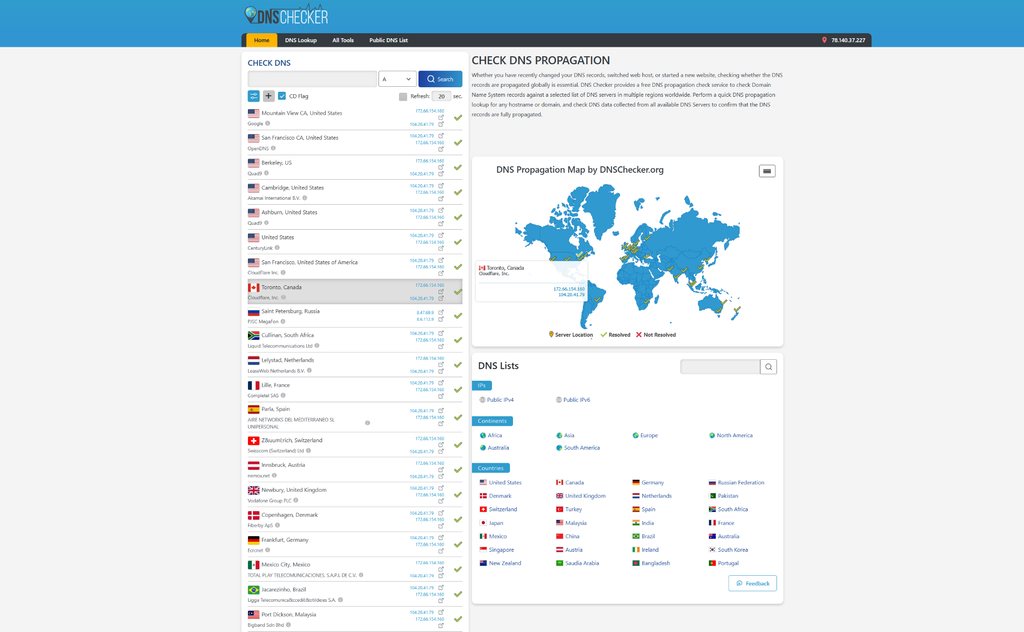
What it monitors: domain settings, DNS records, and their relevance.
This tool helps you check which DNS records are currently visible to servers in different locations around the world. DNS records link a domain name to essential services, such as the server hosting the website or its mail server.
A DNS error can make a website unavailable, even if the server itself is functioning properly. For example, after changing hosting or DNS providers, the settings may not update simultaneously. As a result, some users may already receive the new server, while others still see the old IP address.
The DNS checker allows you to check different types of records, including A, AAAA, CNAME, MX, and TXT, and compare results from different locations. After changing DNS settings you can quickly check whether different servers are seeing the new values and whether the settings update has completed.
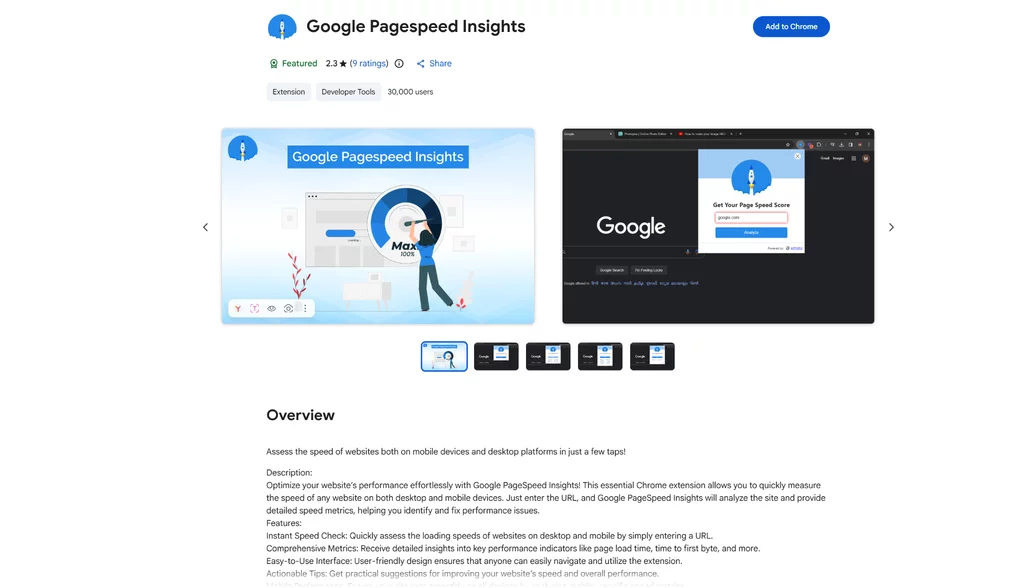
What it monitors: page speed, loading performance, and Core Web Vitals.
This tool analyzes how quickly a web page loads and how well it performs for visitors. Enter a page URL, and PageSpeed Insights identifies factors that may be slowing it down and provides recommendations for improvement. It also evaluates Core Web Vitals, a set of Google metrics used to measure key aspects of the user experience, such as loading speed, responsiveness, and visual stability.
PageSpeed Insights combines test data collected under controlled conditions with real-world user experience data from the Chrome User Experience Report (CrUX), when available. This allows you to view your site from two perspectives; see test results under controlled conditions and understand how pages perform for real users.
You can check both mobile and desktop versions of a page, and the results help identify specific causes of slowdowns, including overly large images, resources that block loading, or coding in suboptimal JavaScript.
It is worth using this tool after updating your site. Adding large images, third-party scripts, or new widgets can significantly increase page load time. It’s also crucial to check more than just the homepage. Individual sections of the site may have completely different performance metrics.
Don’t rely solely on the overall score. It’s much more useful to look at the Core Web Vitals and specific recommendations for troubleshooting.
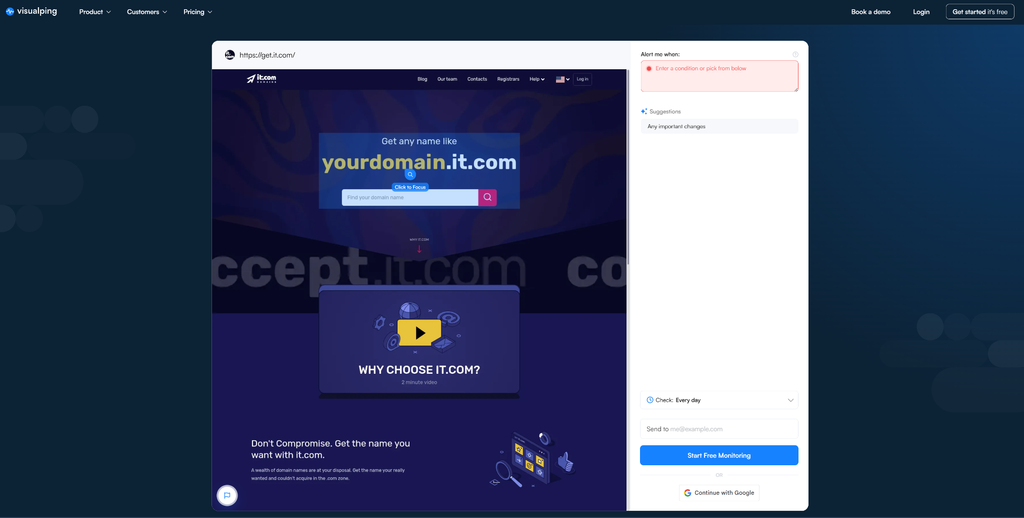
What it monitors: changes to text, images, prices, and individual page elements.
This tool tracks changes to web page content, periodically checking selected pages and notifying you if anything has changed. You can monitor the entire page or just a specific area, and also monitor text, images, and other elements separately. After detecting a change, the service allows you to compare the page’s state before and after the update.
This can be useful after your own updates. If someone accidentally removes a contact section, changes a price, or replaces important text, a notification helps you detect the change faster.
The tool can also be used to monitor other websites to keep an eye on prices, special offers, or changes on competitors’ pages.
The free plan allows for 150 checks per month for up to five pages, with a maximum check frequency of every 60 minutes. For a small website, this is enough to periodically monitor several important pages.
Website monitoring is the regular or continuous checking of a website’s availability, performance, security, indexing, and other important parameters. It helps detect problems early before they lead to significant losses in traffic, customers, or revenue.
Monitoring helps quickly detect website downtime, slow loading times, indexing, SSL, or DNS issues, as well as unexpected page changes. The sooner a problem is detected, the faster it can be fixed and its impact on users, search traffic, and business can be reduced.
Primarily, you should monitor website availability, indexing, SSL certificates, DNS, speed and performance, page changes, and the domain expiration date. The set of checks can be tailored depending on the type of website and its importance to my business.
Yes. Many basic checks can be performed using free tools.
The frequency depends on what exactly you’re checking. Website availability and critical services are best monitored automatically and regularly. SSL, DNS, performance, and indexing should be checked additionally after significant changes to the site, while content and domain monitoring can be customized to suit the specifics of the project.
Want to know more about website solutions for your business? Visit it.com Domains blog and follow us on social media.
Continue reading at the it.com Domains blog...
Why Website Monitoring Is Necessary
Website monitoring is a systematic check of a site’s availability, technical condition, and performance. Its purpose is to promptly detect any changes that could impact users, search traffic, or the functioning of the business, and take appropriate action.
Monitoring shouldn’t be confused with a full-fledged technical website audit. An audit is a periodic, in-depth review of a website that helps comprehensively assess its code, architecture, security, SEO, design relevance, and other parameters. Monitoring, on the other hand, is performed in between these audits, allowing to spot changes or issues as they arise.
A website’s performance is affected by many factors: the hosting or server, the code, database, DNS settings, or the SSL configuration. An update can increase page load times, while a technical error may prevent search engines from indexing important content. Even the domain requires attention; if the registration isn’t renewed on time, the site and associated services may become unavailable.
For large companies, the cost of such outages can be especially high. A study by Oxford Economics and Splunk, conducted among 2,000 executives from 53 countries and 10 industries, estimated the combined losses of Global 2000 companies from unplanned digital outages at $400 billion annually, or an average of about $200 million per company. The calculations included not only direct financial losses but also damage to reputation and business value.
Of course, these figures can’t be directly applied to a small corporate website or online store. However, the study clearly demonstrates the scale of the problem; a technical failure isn’t just a concern for developers — it’s a potential business risk.
Even a little downtime can have tangible consequences:
- Loss of visitors and conversions. If the site is unavailable, users will be unable to place an order, submit a request, or register, and will likely simply switch to a competitor.
- Decrease in search traffic. Prolonged or recurring technical problems can negatively impact a site’s visibility in search results. Furthermore, indexing errors can lead to individual pages no longer appearing in search results.
- Decreased trust. If users regularly encounter errors, slow loading times, or inaccessible websites, this impacts their perception of the company and their desire to return.
- Financial losses. For an online store or service, a few hours of downtime can mean dozens or hundreds of canceled orders and unanswered requests.
Monitoring is not only useful for identifying existing problems. Dynamically collected data allows you to analyze site performance, identify patterns, and make more informed decisions about future development. For example, if a site regularly slows down during certain hours, this may indicate the need to optimize or boost server resources.
The frequency of monitoring should depend on how critical the website is to your business. For a standard business website, you can set up automatic checks every five minutes. E-commerce websites and other revenue-critical services may benefit from more frequent automated checks. You don’t need to monitor the website manually, monitoring tools can perform these checks automatically and notify you when a problem is detected.
Basic monitoring doesn’t require hiring developers or purchasing expensive systems. Many checks, for instance, monitor site availability, and check the SSL certificate, DNS settings, page loading speed, and page indexing, can be configured independently using free tools.
What to Monitor First
Source: Unsplash
1. Website Availability. Track whether the website is opening and whether the server and individual pages are responding correctly. It’s crucial to check both the homepage and other key sections, such as product pages, registration forms, or contact forms. If a resource goes down or the server starts returning errors, the sooner you detect it, the faster you can fix the problem and reduce downtime.
2. Indexing. Monitoring helps ensure that search engines see your website pages and add them to the index. A page may open normally for users, but be inaccessible to search engines or excluded from the index. It’s especially important to monitor indexing after a redesign, changes in the URL structure, robots.txt configuration, website migration, or other maintenance.
3. SSL Certificate. Regularly check that HTTPS (HyperText Transfer Protocol Secure) is working correctly and that the SSL certificate is valid. If the certificate has expired or is configured incorrectly, the browser may display a warning about an insecure connection to the user.
4. DNS Records. Monitoring DNS records helps ensure that the domain points to your website and that the records direct to the correct servers. A configuration error can make the website or corporate email unavailable, even if the server itself remains operational. It’s crucial to monitor DNS records carefully after migrating a website, changing hosting, or registering a domain with a new provider.
5. Speed and Performance. Monitoring allows you to track page loading speed, server response time, and performance changes after updates. Slowdowns can be caused by large images or videos, third-party scripts, code changes, or increased server load. A slow website degrades the user experience, can reduce conversions, and negatively impact the metrics Google uses to evaluate user experience.
6. Page Changes. Monitoring changes helps you quickly spot accidental or unauthorized alterations to prices, images, or other important page elements. This is especially useful for websites that are updated regularly. For instance, the system can alert you if an important promotion has disappeared from the homepage, the price has been changed, or the text has been modified without the owner’s knowledge.
7. Domain Expiration Date. It’s essential to know the domain registration expiration date in advance. This is easy to overlook, especially if the domain was registered several years ago. If you don’t renew it on time, the domain may cease to function, along with your website, corporate email, and other services associated with the domain name. Therefore, make sure your registrar contact information is up-to-date and stay tuned for notifications. You can also enable the domain auto-renewal feature in your personal account on your registrar’s website.
7 Website Monitoring Tools
Basic monitoring doesn’t require specialized knowledge or a complex infrastructure; many checks can be set up independently and for free.
UptimeRobot

What it monitors: website availability, HTTPS errors, response time, and individual pages.
This is one of the easiest ways to start monitoring website availability. The service regularly sends a request to a specified URL (Uniform Resource Locator) and notifies you if the site stops responding.
The free plan allows you to create up to 50 monitors, and checks are performed every five minutes. In addition to HTTPS, ping, and port monitoring, the plan includes a keyword monitor, which allows you to monitor the presence of specific text on a page. This is useful if you need to make sure the disappearance of key information or changes to content are noticed quickly.
The tool also allows you to create a basic status page, where you can show users the current state of your website or service.
For a small website, this suite of features is usually sufficient; you can set up separate checks for the homepage and other critical URLs.
Better Stack

What it monitors: HTTPS statuses, incidents, background processes, and service status.
This is a service for keeping track of and managing incidents. As well as detecting problems, it also organizes responses, such as sending notifications to those responsible, tracking the status of the incident, and reporting the restoration of service.
The free plan includes ten monitors and heartbeats, as well as one status page. Notifications about problems can be received via email or Slack. This allows you to quickly notify the team about an outage, even if no one is manually checking the site at the time.
You can configure HTTPS monitoring for a specific URL and monitor the availability of important pages. Heartbeat monitors are suitable for keeping a check on background tasks and other processes that need to run regularly. If these automatic tasks stop running, Better Stack can notify you.
The status page, in turn, allows you to show users whether the site or individual services are functioning normally and inform them about any incidents and the restoration of service after outages.
Google Search Console

What it monitors: page indexation, crawl issues, sitemaps, impressions, and clicks from Google.
This tool helps monitor how your website is presented in Google: which pages Google has discovered and indexed, and which have encountered crawling or indexing issues. The URL Inspection tool displays information about a specific URL, including its indexation status and the latest crawl data.
Use this tool after a redesign, site migration, change to the URL structure, or robots.txt settings changes. A website may appear fine to users, but some of its pages may no longer be indexed.
The Search Console also helps monitor search traffic. A sudden change in impressions or clicks may prompt you to check for technical issues.
SSL Checker

What it monitors: certificate expiration dates, hostname, certificate chain, and HTTPS errors.
This is a simple tool for checking your SSL certificate. Enter your domain, and the service will show you whether the certificate has been installed correctly, its validity, expiry date, and whether the certificate matches the hostname. You can also check the certificate chain and detect problems with intermediate certificates that may cause browsers to distrust the connection.
The tool also displays basic information about the certificate and secure connection settings, making it convenient for diagnostics after changes to the server.
This check is useful after installing or renewing an SSL certificate, moving a website to another server, or changing HTTPS settings.
It’s essential to note that SSL Checker is a diagnostic tool, not a full-fledged continuous monitoring system. It’s convenient to use for periodic checks.
DNS Checker

What it monitors: domain settings, DNS records, and their relevance.
This tool helps you check which DNS records are currently visible to servers in different locations around the world. DNS records link a domain name to essential services, such as the server hosting the website or its mail server.
A DNS error can make a website unavailable, even if the server itself is functioning properly. For example, after changing hosting or DNS providers, the settings may not update simultaneously. As a result, some users may already receive the new server, while others still see the old IP address.
The DNS checker allows you to check different types of records, including A, AAAA, CNAME, MX, and TXT, and compare results from different locations. After changing DNS settings you can quickly check whether different servers are seeing the new values and whether the settings update has completed.
Google PageSpeed Insights

What it monitors: page speed, loading performance, and Core Web Vitals.
This tool analyzes how quickly a web page loads and how well it performs for visitors. Enter a page URL, and PageSpeed Insights identifies factors that may be slowing it down and provides recommendations for improvement. It also evaluates Core Web Vitals, a set of Google metrics used to measure key aspects of the user experience, such as loading speed, responsiveness, and visual stability.
PageSpeed Insights combines test data collected under controlled conditions with real-world user experience data from the Chrome User Experience Report (CrUX), when available. This allows you to view your site from two perspectives; see test results under controlled conditions and understand how pages perform for real users.
You can check both mobile and desktop versions of a page, and the results help identify specific causes of slowdowns, including overly large images, resources that block loading, or coding in suboptimal JavaScript.
It is worth using this tool after updating your site. Adding large images, third-party scripts, or new widgets can significantly increase page load time. It’s also crucial to check more than just the homepage. Individual sections of the site may have completely different performance metrics.
Don’t rely solely on the overall score. It’s much more useful to look at the Core Web Vitals and specific recommendations for troubleshooting.
Visualping

What it monitors: changes to text, images, prices, and individual page elements.
This tool tracks changes to web page content, periodically checking selected pages and notifying you if anything has changed. You can monitor the entire page or just a specific area, and also monitor text, images, and other elements separately. After detecting a change, the service allows you to compare the page’s state before and after the update.
This can be useful after your own updates. If someone accidentally removes a contact section, changes a price, or replaces important text, a notification helps you detect the change faster.
The tool can also be used to monitor other websites to keep an eye on prices, special offers, or changes on competitors’ pages.
The free plan allows for 150 checks per month for up to five pages, with a maximum check frequency of every 60 minutes. For a small website, this is enough to periodically monitor several important pages.
FAQs
What is website monitoring?
Website monitoring is the regular or continuous checking of a website’s availability, performance, security, indexing, and other important parameters. It helps detect problems early before they lead to significant losses in traffic, customers, or revenue.
Why is website monitoring necessary?
Monitoring helps quickly detect website downtime, slow loading times, indexing, SSL, or DNS issues, as well as unexpected page changes. The sooner a problem is detected, the faster it can be fixed and its impact on users, search traffic, and business can be reduced.
What should I monitor on my website?
Primarily, you should monitor website availability, indexing, SSL certificates, DNS, speed and performance, page changes, and the domain expiration date. The set of checks can be tailored depending on the type of website and its importance to my business.
Can I monitor my website for free?
Yes. Many basic checks can be performed using free tools.
How often should I monitor my website?
The frequency depends on what exactly you’re checking. Website availability and critical services are best monitored automatically and regularly. SSL, DNS, performance, and indexing should be checked additionally after significant changes to the site, while content and domain monitoring can be customized to suit the specifics of the project.
Want to know more about website solutions for your business? Visit it.com Domains blog and follow us on social media.
Continue reading at the it.com Domains blog...



